




Networking
-
Cabling Trials and Tribulations: Tips on Avoiding Problems
.gif)
-
Always Check Your Install or Repair

-
Why are you performing a Speedtest
-
F7 AND THE Windows COMMAND PROMPT
-
Troubleshooting Wi-Fi Performance: Don’t Overlook the Antenna
-
Working with Port Security When Capturing Packets
-
Enabling SNMP in Windows 10
-
Can a TV Distract Your Computer?
-
Cisco Log Tip
-
Evaluating Backup Bandwidth with a Portable Wan Emulator
-
SQL Packet Analysis Using Dynamic Baselining
-
Troubleshooting Application Issues - SQL server

-
Keeping You House In Order
-
Why Bother with Ethernet Cabling.
-
Test Web Page Load Time with a Free Chrome Extension
-
When Testing, Get Active
-
Mercury Reader For When you Need To Read
-
Free Tool Opales Qual'It Active Test Tool (pdf with links)
-
Troubleshooting Application Configuration for Security
-
Layer 1 Troubleshooting Scenario
-
How to Configure 2 IP Addresses
-
Testing POE with Pockethernet
-
Free WiFi Analysis Tool: WiFiInfoView
-
Free Network Performance Test Tool: Wget
-
DNS Server Troubleshooting: 3 Free Tools
-
Troubleshooting a Router Installation
-
The Bootup Baseline
-
Network Analysis Techniques for Large Trace Files
-
Automated Troubleshooting with Pulover's Macro Creator
-
Switch Port Discovery Using Switch Miner
-
VMware Player and Testing Tip

-
Packet Loss Vs. Latency: Analyzing the Impact
-
Operational Guidelines and Tools for Network Testing
-
iPerf2 vs iPerf3
-
Investigating Routing Problems
-
Guidelines and Tools for Network Testing
-
How to Use Wget to Determine Performance Issues
-
Troubleshooting: Why Ping When You Can CryPing?
-
NetBeeze Quickstart
-
Application Dependency Analysis: Getting Started
-
TCP Traceroute Tools
-
Using Ping Options More Effectively
-
Using iPerf to Test Router Throughput
-
Network Performance Testing: Measuring Quality of Service
-
Measuring Router Performance Using Netscout OptiView XG
-
IoT Security: Creating a Baseline Trace
-
Upgrading Firmware And Why its Critical
-
Recovering a Stored Password from a Web Browser
-
Introduction to Automating Your Testing
-
Internet Performance Testing: Speed Vs. Quality
-
FTP Troubleshooting: Applying a Methodology
-
Knowing Your Tools
-
Using Batch Files to Record Network Throughput
-
A Cisco Router Speed Test
-
Weird by Works: Fixing Drag and Drop With VMware Workstation 12

-
Network Performance: Packet Loss Vs. Delay
-
Troubleshooting: Devising A Testing Methodology
-
How To Secure A Network For Free
-
Check Your Social Media Security Settings
-
Network Troubleshooting From The User Perspective
-
Making Network Device Management Safe
-
Network Analysis: TCP Window Size
-
Network Troubleshooting: TCP SACK Analysis
-
Excel's Text To Column Makes Troubleshooting Easier
-
Investigating Loops
-
Would You Rent Out Your Personal Info
-
Network Troubleshooting: TCP SYN Analysis
-
When Is A Disable Is Just A Suggestion
-
I'm Just A Discovery Packet
-
When Is A Lost Packet Not Lost?
-
Subject Matter Expert to Leader Interview With Maria Conte
-
Ever Hear Of A Routing Audit?
-
Gathering Information 101
-
Application Performance Monitoring Tools – Connect Time
-
What Could Go Wrong – Layer 1
-
Diagnosing Application Performance Problems
-
Router Basics: The Lost Configuration -
-
How to learn about email protocols like POP
-
Fping Quickstart
-
Documenting Why “Its Slow”
-
Network Overview
-
Google Chrome Developer Tool
-
Good Old Syslog
-
Microsoft Netmon, Not Your Parents Analyzer
-
Tracewrangler Review - Edit your trace files
-
DHCP Mayhem
-
Troubleshooting DHCP is actually a lot trickier than you might think
-
Network Cleanup: Dealing With Dust -
-
TFTP Vs. FTP: The Networking Perspective
-
Network Analysis: Tool Calibration
-
Network Redesign: VLANs And Ports
-
Network Redesign: In The Field
-
Packet Analysis: HSRP, EIGRP, STP And CDP
-
Network Troubleshooting: Broadcast Analysis 101 -
-
Be Prepared: What to Bring when Troubleshooting a Network
-
Network Troubleshooting: Device Cleanup -
-
Throughput 101: Don't Guess At File Sizes -
-
Troubleshooting MTU & ICMP Issues -
-
Network Troubleshooting: Latency Vs. Retransmission -
-
When QUIC isn't so Quick
-
Enabling tools can put security practices on high alert (article)

-
Real Network Nightmares Video 5 of 7
-
Real Network Nightmares Video 4 of 7 - Duplex Issues
-
Getting Network Visibility a Bit at a Time with MRTG
MRTG
I've received many emails on how to get up and running quickly with MRTG, so here's my tips.
-
Install ActiveState Perl (http://www.activestate.com)
-
Download and Install MRTG (http://www.mrtg.org)
-
If you don't have one, create working directory for HTML files c:\mrtg\working
-
Go to c:\mrtg\bin directory
-
Run perl cfgmaker snmpreadstring@ipaddress –output=filename.cfg
-
Open filename.cfg with notepad
-
Add RunAsDaemon: Yes
-
Remove # on Options
-
Add WorkDir: C:\mrtg\working
-
Type wperl mrtg filename.cfg to start MRTG
IPERF
-
IPERF Quickstart &

- Very handy FREE throughput tester. Using it is quick and easy;
- Simply download IPERF http://dast.nlanr.net/Projects/Iperf/
- Unzip into a folder on two pc's
- Go to one PC and type iperf -s at the command prompt. This is a server
- Go to the other PC and type iperf -c server_ipaddress
Other examples;
- to run the iperf utility as a server service by typing
iperf -s -D- to conduct an upload type
iperf -c server_ipaddress- to conduct a separate upload and download type
iperf -c server_ipaddress -r- to conduct a simultaneously upload and download type
iperf -c server_ipaddress -p
Other Notes;
- The following options don't work with Windows;
window (-w) * This actually affects the application read/write block or buffer size
print mss (-m)
try creating a batch file that you can schedule at whatever interval to get an idea of throughput in relation ship to time;
sample dos batch file will accept an ip address filename for output. Just make sure IPERf is in your path, or put the batch file in the iperf directory.
rem record ipaddress filename
rem ***
cls
echo off
Echo %date% %time% >> %2
Echo %date% %time%
Echo upload and download to %1
iperf -c %1 -r|find "sec" >> %2
echo ********* >> %2
SNMP
- Please modify your default read and write SNMP community strings from public or private.
- Use the Contact and Location fields for documentation purposes.
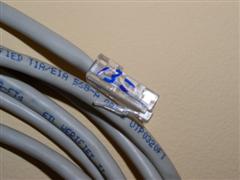
Cabling
|
 |
MAC Address
- Get a P-Touch, type in your MAC address and put it on your laptop, desktop or troubleshooting PC. Now you'll have the correct info when you want to create a MAC address filter or just reference it.
What do you say when the results aren't good?
Baselines are like Resumes
Why reporting needs to be concise.
I don't need no tools
I have a new network and equipment what can go wrong?
Latency, the Basics
Start understanding the impact of latency
Why bother with getting test tools?
Real World Throughput Testing
Go test your connection today
Port Unreachable
Tony explains a common scenario regarding port unreachable and helper addresses
Get to know ICMP
Really neat tip about troubleshooting ICMP packets
Get your house in order
You should always start monitoring and improving
performance in your own backyard, or network
Make your own Cabling Errors
I talk about creating your own erros, so when you encounter them in the field, you will work more effeciently
Broken and Baselining
Tony's Shaking your Network to Bits Video clip
Tony explains the paradigm shift when it comes to support and
lays some of the foundation for baselining
Space Junk - the The Problem
Tony's Shaking your Network to Bits Video clip
Here Tony talks about the 'Space Junk' on your Network and how
you may have not found the root cause to your 'Problem'
If It Aint Broke
Tony's Shaking your Network to Bits Video clip Here Tony talks about what how the old saying, "If it ain't broke.." isn't something you want to wait for. Tony also explains why a ping isn't the proper tool for the job.
Hear about Tonys definition of Training'
Pulling Straws
Hear how this famous old technique works - or doesn't work for you
What The Heck Is a Tool
This is the first in many videos where I explain what a tool is and the difference between data and information.
Tony explains why you need more than 1 favorite tool.
Here Tony talks about the value of having a network tool even though you may not find a problem